We use cookies to ensure you get the best experience on our website. Learn more
Decline
Allow Cookies

Builder
Explore this region's page
Resource
Articles provide general information for the public, while Resources deliver technical guides and tools tailored specifically for ArdaCraft contributors.
Written by
Argent
endianhacker
“Layering” is the same process done at different “resolutions“. Although we now have a tool which can layer the vast majority of our terrain en masse, builders will still need to be able to layer by hand.
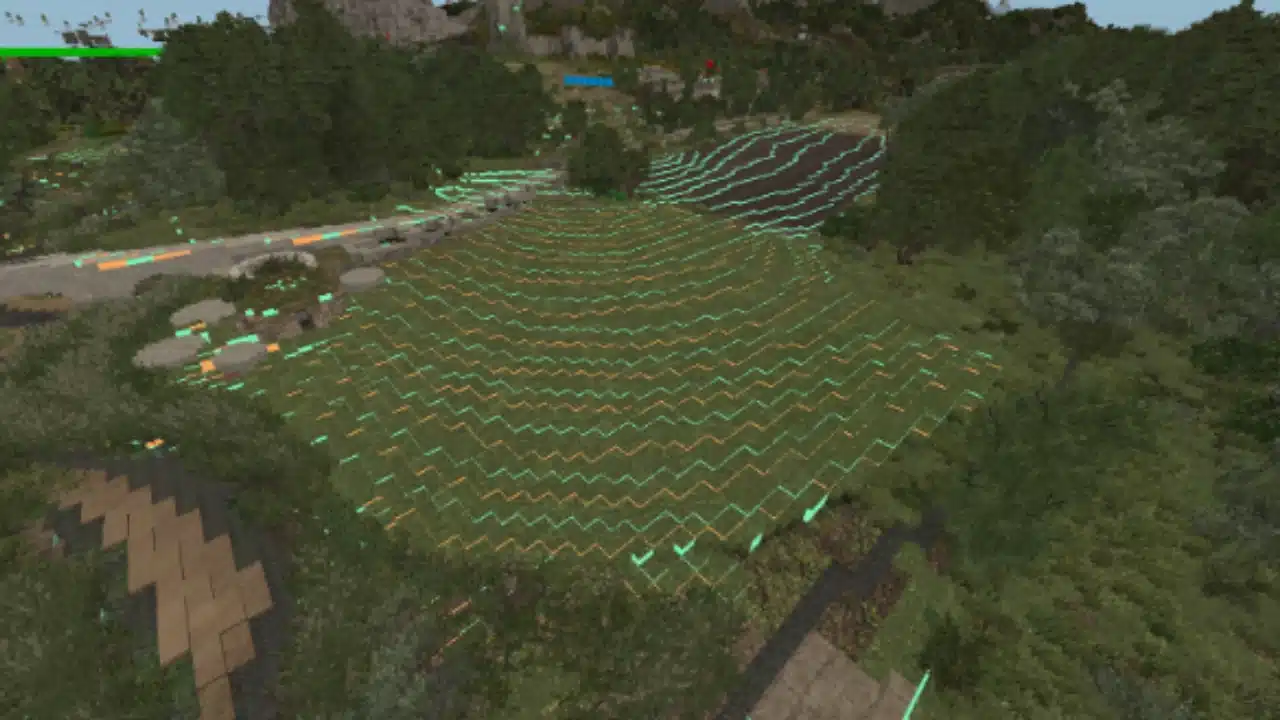
Please note that the example images below are using Xone’s special Resource Pack which makes it easier to differentiate between layers.
You want to create a line/edge in a 2D space that looks curved for each layer, as well as a slope in a 3D space that slopes downward.
In order to make curved shapes, have stretches of blocks gradually get longer and shorter. For example, 6-5-3-3-2, as observed in the gradual slope overview below.
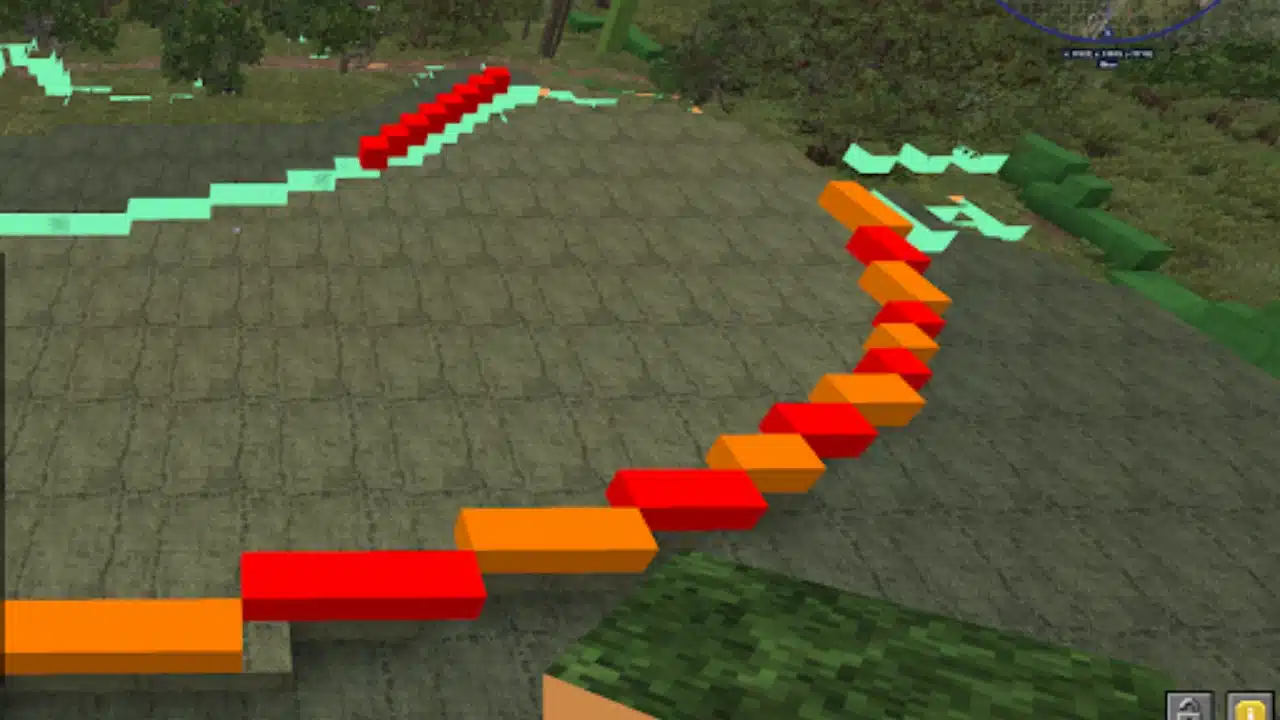
If you need to cut off blocks from the slope, embrace the messy, and get comfortable knowing that you can always bring back the roundness.
Once a slope is prepped and laid out using full blocks (see full block overview), its time to move onto slabs. We essentially just want to cut all of the intervals in half. However, if we just add slabs on top, we’d be raising the entire slope. So what we want to do is cut into the existing shapes a bit.
It’s not an exact “cut the interval in half”, e.g. cut in 3, extend out 3, type of thing, its more of a feeling/vibe to it. You want the feeling that the interval is gradually shifting in.
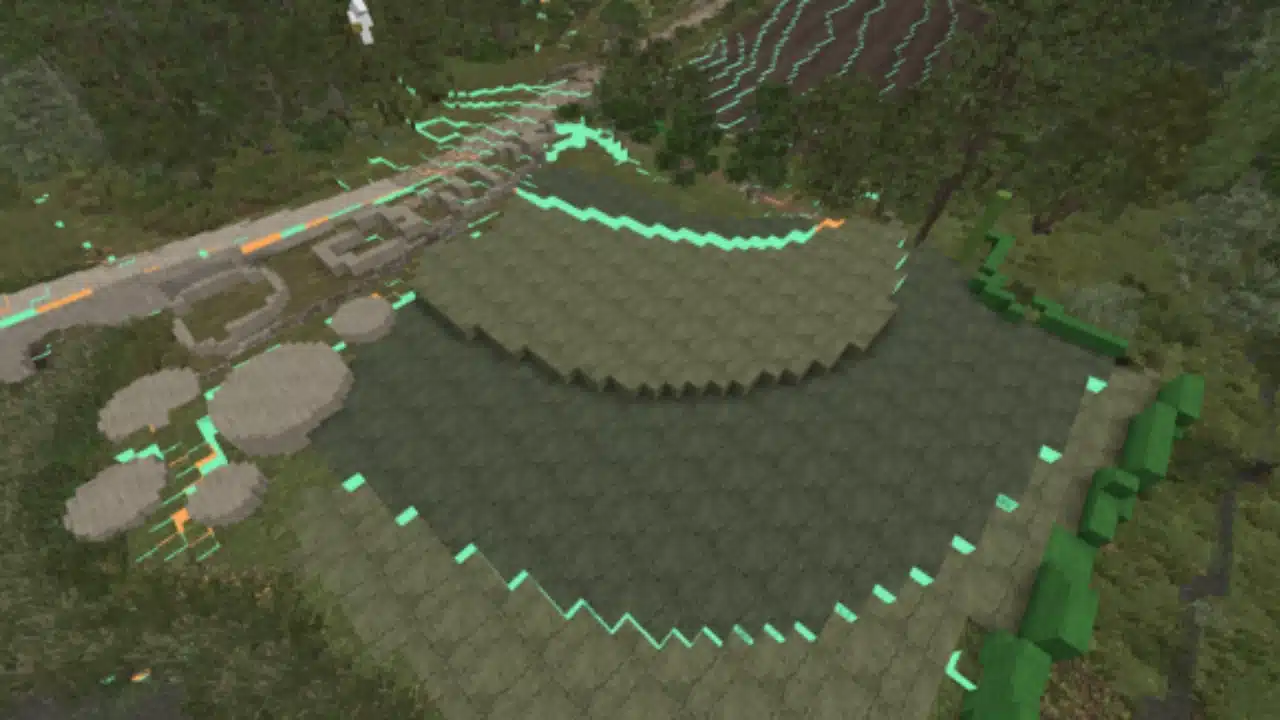
You can repeat that step with slabs and double layers, as observed in Slab overview and Double Slab overview.

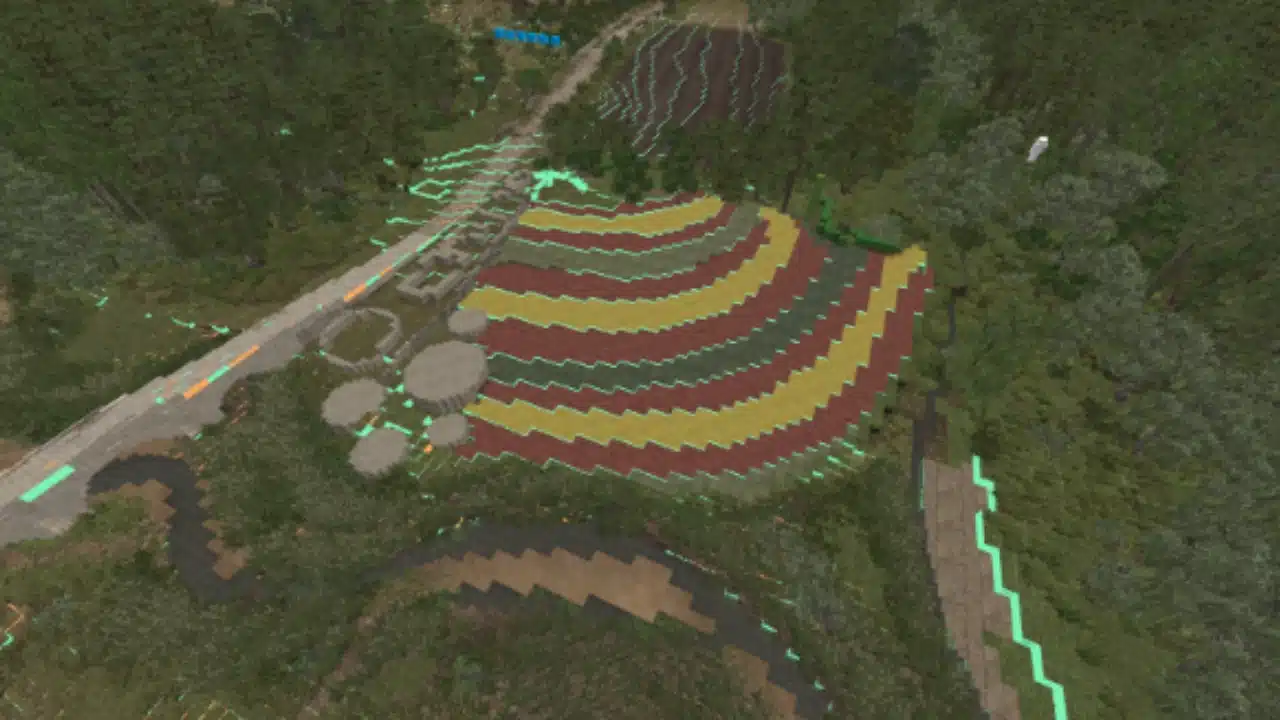
Finally, for single layers, its less about cutting into the layers and more about just making the layers look nice. If you need to cut into the layers above, you can. If you don’t need to, you can do that too. It varies.
You can see end result in the fully slabbed overview.
Prev
Next